 Fullclip
Raindrop.io vs a Notion web clipper: which should you use?
Raindrop.io is a bookmark manager: it saves links into its own collections and apps, free for unlimited bookmarks, with full-text search and permanent page copies on Pro. A Notion web clipper such as Fullclip saves the article itself into your Notion database as native blocks, with AI tags and a summary, free for unlimited clips. Pick Raindrop for bookmarks across devices; pick a Notion clipper if Notion is where you keep knowledge.
Disclosure: we make Fullclip. Raindrop.io details come from its official pricing page, checked on 2026-10-06, and linked below.
Raindrop.io vs Fullclip (Notion clipper): side by side
| Raindrop.io | Fullclip | |
|---|---|---|
| What it is | Bookmark manager with its own library | Chrome web clipper for Notion |
| Where saves go | Raindrop collections | A Notion database you choose |
| What is saved | The bookmark; permanent page copies (“web archive”) on Pro | The full article as native Notion blocks: headings, images, tables, videos, code with language |
| Organizing | Collections and highlights; AI suggestions on Pro | AI tags chosen from your existing Notion tags, plus a two-sentence summary (30/month free, unlimited on Pro) |
| Search | Full-text search on Pro | Notion search across your saved articles and notes |
| Apps | Mac, iOS, Android, Chrome, Safari, Firefox, Edge | Chrome (Chrome Web Store listing coming soon) |
| Pocket / Instapaper import | Not stated on its pricing page | Pocket (CSV or HTML) and Instapaper (CSV) exports, with original save dates |
| Price | Free (unlimited bookmarks); paid Pro | Free (unlimited clips); Pro $4.99/mo, $39/yr or $59 once |
Source: raindrop.io/pro/buy, checked 2026-10-06.
When is Raindrop.io the better choice?
- You save mostly links and want to find them again, not keep the full text.
- You switch between many devices and browsers, including Safari, Firefox, iOS and Android.
- You want a visual bookmark library with collections, separate from your notes.
When is a Notion web clipper the better choice?
- Notion is your second brain. Articles land in the same workspace as your notes and projects, ready to link and search.
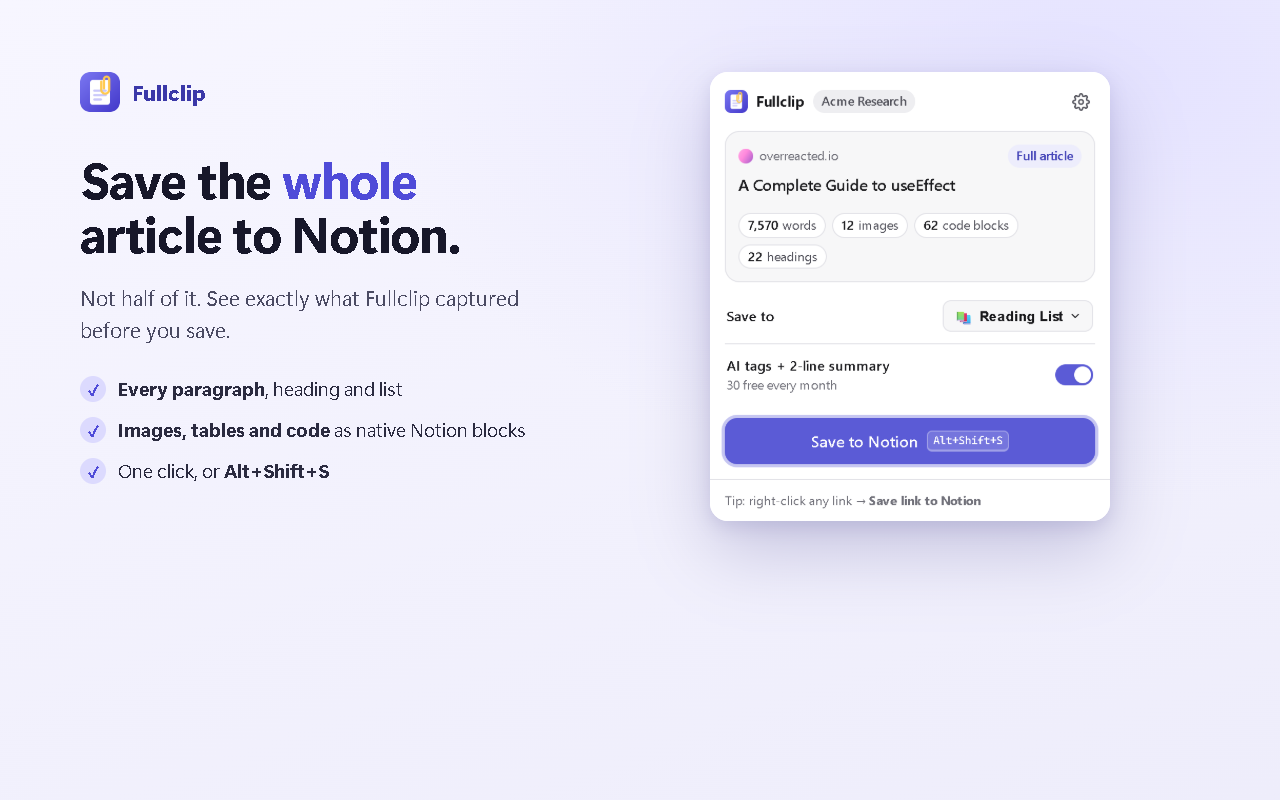
- You want the complete article. Fullclip saves every paragraph, image, table and code block as native Notion blocks and writes long reads in batches so nothing is cut off. The popup shows what was captured before you save, for example “7,570 words · 12 images · 62 code blocks”.
- You want tags and summaries written for you. Optional AI reuses the tags already in your database.
- You want it free. Full-page clipping is unlimited on Fullclip’s free plan.
Comparing Notion clippers with each other? See the best web clippers for Notion and Fullclip vs Notion Web Clipper.
Frequently asked questions
Is Raindrop.io free?
Yes. Raindrop’s free plan includes unlimited bookmarks, collections, highlights and devices. Pro adds full-text search, permanent copies of pages, more upload space and other tools (raindrop.io/pro/buy).
Can Raindrop.io save to Notion?
Raindrop saves into its own library and apps; its pricing page does not list a Notion integration (checked 2026-10-06). If you want saved pages to land in a Notion database, use a Notion web clipper such as Fullclip or Notion’s own Web Clipper.
Can I use Raindrop and Fullclip together?
Yes. Many people keep quick bookmarks in a bookmark manager and send the articles they want to keep in full to Notion with Fullclip.
Which one saves the full article?
Fullclip saves the complete article into Notion as native blocks on its free plan. Raindrop lists permanent copies of bookmarked pages (“web archive”) as a Pro feature.
Try Fullclip
Unlimited full-page clipping is free. Pro: $4.99/month, $39/year or $59 once.